Your Cart
Loading

Dockerize Your Full-Stack App - Free Docker Course
Free hands-on Docker course

Dockerize Your Full-Stack App.
Go From Zero to One Command.

Take a real React + Node.js + PostgreSQL app and containerize it step by step - backend, Nginx, migrations, Compose, and health checks.

Free · Source code included · Learn by building
task-manager - zsh
$ npm run dev
Frontend✓
Backend✓
PostgreSQL✓
$ docker compose up
frontend✓
backend✓
postgres✓
Application running.
http://localhost:3000
Course intro

See What You'll Build

A quick look at the project, the Docker setup, and where we're going.

Your app works. Now make it portable.

Running a full-stack app locally is easy - until someone else needs to run it. Different Node versions. Missing dependencies. A database that isn't running. Environment variables in the wrong place.

This course takes a working application and fixes that mess by containerizing the entire stack.

MANUAL SETUP / FOUR MOVING PARTS $ npm install$ npm run db:push$ npm run dev$ docker run postgres...
VS
PORTABLE SETUP / ONE COMMAND $ docker compose up
The project

A real app. A real Docker setup.

You won't build another throwaway demo just to learn Docker. You'll work with Task Manager - a React, Node.js, Express and PostgreSQL application - and containerize the project piece by piece.

NGINXReact Frontend
NODE + EXPRESSBackend
POSTGRESQLDatabase
The curriculum

Seven lessons. One working stack.

Start with a running application. Finish with the whole stack managed by Docker Compose.

IntroSetup+

Get the Task Manager application running locally. Understand what you're actually containerizing before Docker enters the picture.

Dockerizing the BackendBackend+

Package the backend into its own container.

What Is Nginx?Nginx+

Understand where Nginx fits and why it belongs in front of the frontend.

Dockerizing the Frontend with NginxFrontend+

Build the React frontend and serve it through Nginx inside a container.

Dockerizing Database MigrationsDatabase+

Handle database schema changes properly inside the containerized setup.

Docker Compose for the Full StackCompose+

Bring frontend, backend and PostgreSQL together with Docker Compose.

Advanced Docker Compose Health ChecksHealth checks+

Make services aware of each other's readiness instead of blindly starting everything at once.

THE GOAL ISN'T “LEARNING DOCKER.”

It's getting your entire stack to run with one command.

LOCAL APP
BACKEND
CONTAINER
FRONTEND
+ NGINX
DATABASE
MIGRATIONS
DOCKER
COMPOSE
HEALTH
CHECKS
$ docker
compose up
Inside the course

You get the project, not just the lessons.

Complete Source Code

Start from the same Task Manager application used throughout the course.

task-manager/
├── frontend/
├── backend/
└── compose.yml

Step-by-Step Lessons

Follow the containerization process in the same order you would actually build it.

01 → 07
from local app to healthy stack

Project README

Clear setup instructions so you can get the application running before touching Docker.

$ git clone project
$ npm install
$ npm run dev

Full-Stack Docker Setup

End with frontend, backend and PostgreSQL running together through Docker Compose.

services:
  frontend: healthy
  backend: healthy
  postgres: healthy
Prerequisites

Good fit if you...

  • Build React or Node.js applications
  • Know the basics of JavaScript / TypeScript
  • Have used PostgreSQL or another database
  • Can run a project locally
  • Keep hearing “just Dockerize it” and want to actually know how

You don't need to be a Docker expert. That's the point.

Ready to stop running your stack piece by piece?

Grab the free course, clone the project, and build your way from npm run dev to docker compose up.

Start the Free Course →
Free · Source code included · English

Next step in Your Career

What awaits you inside the DevOps Operating System?

Not a course. Not another PDF. A guided self-study system for learning, practicing and building.

21 hands-on builds + 1 portfolio-ready capstone project · Mock Interview Simulator
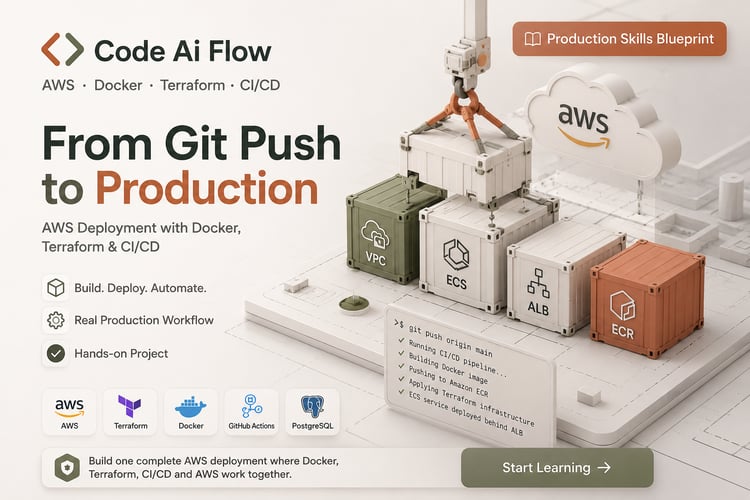
How real-world Production deployments work

AWS deployment with Docker, Terraform & CI/CD - taught by building one complete, real system, not isolated demos.

You already know how to write the code. This closes the gap between localhost and a system a company would trust you to run.